
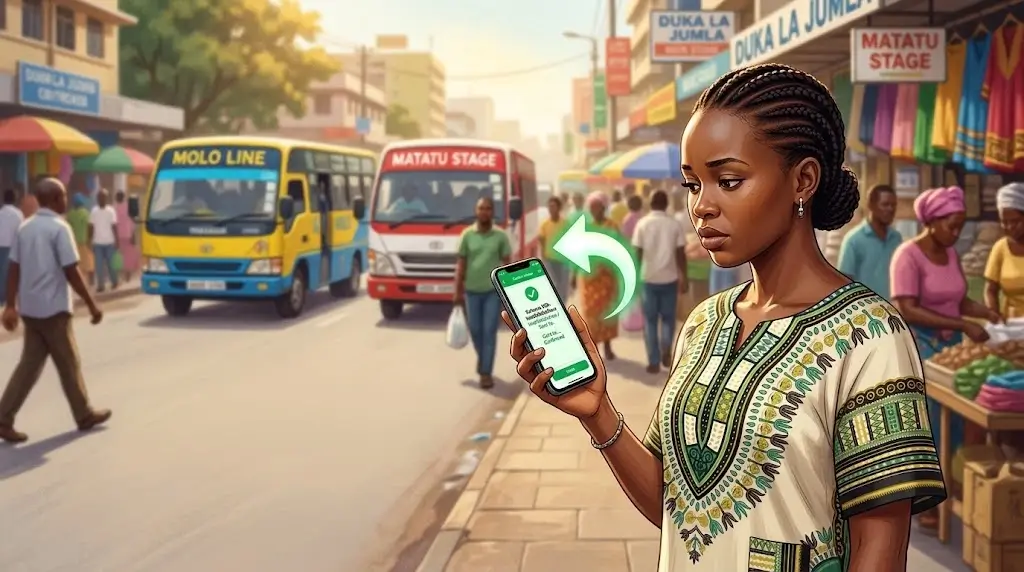
To reverse an M-Pesa transaction, forward the original confirmation SMS to 456 within 24 hours. Safaricom's automatic reversal service works for Safaricom-to-Safaricom transfers and gives you an answer by SMS. You can also reverse through the M-Pesa app, the mySafaricom app or the Zuri chatbot on WhatsApp. This guide covers all four methods, the timelines, and what to do when a reversal fails.
Who can reverse an M-Pesa transaction?
Safaricom's reversal service has three rules, taken from its M-Pesa reversal page:
- Only the sender or the recipient can request the reversal.
- The request must come within 24 hours of the transaction.
- The transaction must be a Safaricom-to-Safaricom (P2P) transfer.
Airtime you bought for your own number can also be reversed through 456. Paybill and Till payments are a different case, covered further down.
What should you do first?
- Keep the M-Pesa confirmation SMS. You need the transaction code and, for the SMS method, the whole message.
- Forward the message to 456 straight away.
- Note the recipient's number, the amount and the time.
How do you reverse a transaction? 4 methods
1. Forward the SMS to 456
This needs no smartphone and no data.
- Open the M-Pesa confirmation message for the wrong transaction.
- Forward the whole message to 456.
- The system checks four things: that you are the sender or recipient, that the request is inside 24 hours, that the recipient's balance can cover a full or partial reversal, and that the recipient's number is not blacklisted from reversals.
- You get an SMS from "Reversal" saying whether the request worked and how long it should take. Safaricom says to expect an update within 2 hours.
Each transaction allows a maximum of 3 reversal attempts.
2. Use the M-Pesa app
The app only reverses transactions you made yourself, in the app, and only right after you make them. Older transactions can't be reversed from here.
- Finish the transaction, realise it was wrong, and tap the "Reverse transaction" icon.
- Pick a reason, such as wrong amount or wrong recipient.
- The request goes in at once. You get a notice that it was received and an update within 2 minutes.
- Within seconds a second message says the reversal has started. A further update follows within 2 hours, while Safaricom contacts the recipient.
3. Use the mySafaricom app
The same limits apply: you made the transaction, and you made it in the mySafaricom app.
- After the transaction, tap the "Reverse transaction" icon.
- Confirm that you want to raise a reversal request.
- You are told the request was received, with feedback within 2 minutes.
- A message from "Reversal" says the request has started. Safaricom follows up with the recipient and shares feedback within 2 hours.
4. Message Zuri on WhatsApp
Zuri is Safaricom's chatbot. It guides you step by step, which helps when you're stressed and can't remember the process.
- Save 0722 000 100 and send "Hello" on WhatsApp. Zuri replies with its privacy policy.
- Choose "M-PESA Help and Reversal" from the menu, then "Reverse".
- Type the M-Pesa transaction code, or paste the whole message.
- Confirm your phone number and enter your M-Pesa PIN to prove the number is yours.
- You get a WhatsApp notice that the request was received. The recipient is contacted for consent before the reversal completes.
Zuri also works on Telegram and Facebook Messenger.
How long does a reversal take?
| Stage | Time, per Safaricom |
|---|---|
| Deadline to request (456) | 24 hours from the transaction |
| Request acknowledged (apps) | Within 2 minutes |
| Reversal started notice | Within seconds of the request |
| Update on the result | Within 2 hours |
Safaricom doesn't publish a fixed finish time beyond the 2-hour update. The recipient's consent decides how long the rest takes.
What if the reversal fails?
The usual reasons are the ones in Safaricom's checklist: the request came after 24 hours, the recipient has spent the money, or the number is blocked from reversals.
- Check your SMS from "Reversal". It tells you whether the request succeeded.
- If the recipient cancelled, Safaricom sends them a message to forward to 456 if they change their mind. You can ask them to do that.
- Try again, but remember the limit of 3 attempts per transaction.
- Call Safaricom customer care on 100 (prepaid) or 200 (postpay), or chat with Zuri, and give the transaction code, the recipient's number, the amount and the reason.
- If the recipient refuses to return the money, report it to the police and get an Occurrence Book (OB) number before taking legal action. Safaricom can't force a reversal that the recipient won't agree to.
Can you reverse a Paybill or Till payment?
Not with the 456 service, which covers Safaricom-to-Safaricom transfers only. Safaricom's reversal page describes no self-service route for Paybill or Till payments, so contact customer care with your transaction code. The business that received the money also has to cooperate, because it may already have credited your payment to an account.
The Hakikisha prompt is your best protection here. For a Paybill payment it shows the partner name, paybill number, account number, amount and cost. For a Till payment it shows the merchant name, till number, amount and cost.
How do you avoid needing a reversal?
Hakikisha is Safaricom's confirmation step. It shows you the recipient's name and number, the amount and the transaction cost before you finish. It runs on the M-Pesa app, the mySafaricom app, the SIM toolkit and *334#. Read the name every time and check it against who you meant to pay.
Safaricom's own advice is to double-check the phone number before you send.
Is the "I sent you money by mistake" call a scam?
It often is. Safaricom says that if someone calls or texts claiming they sent you money by mistake, you should never send it back before checking your M-Pesa balance by SMS. Safaricom will only contact you from 0722 000 000. Report M-Pesa fraud by sending a message to 333 or chatting with Zuri.
Frequently asked questions
Is it free to reverse an M-Pesa transaction?
Safaricom's reversal pages state no fee for the 456 service. If you see a charge, ask customer care.
Can you reverse M-Pesa after 24 hours?
Not through the 456 service, which stops at 24 hours. After that, call customer care, and expect the recipient's consent to matter even more.
Can a recipient reverse a transaction too?
Yes. Safaricom allows either the sender or the recipient to request the reversal through 456.
What if the recipient doesn't respond to Safaricom?
The reversal can stall, since the recipient is contacted for consent. Move to the police report and OB number.
Disclaimer: mobilemoney.co.ke is independent and not affiliated with Safaricom, Telkom Kenya, or Airtel Kenya. It does not process payments. All content is subject to verification — confirm transaction details and charges with the respective provider before acting.